Install Structo on Windows
Takes about a minute. Windows shows a one-time safety prompt for new apps — here's exactly what to click.
Download & open the installer
Click the button above. When the download finishes, open Structo-win-Setup.exe from your browser's downloads.
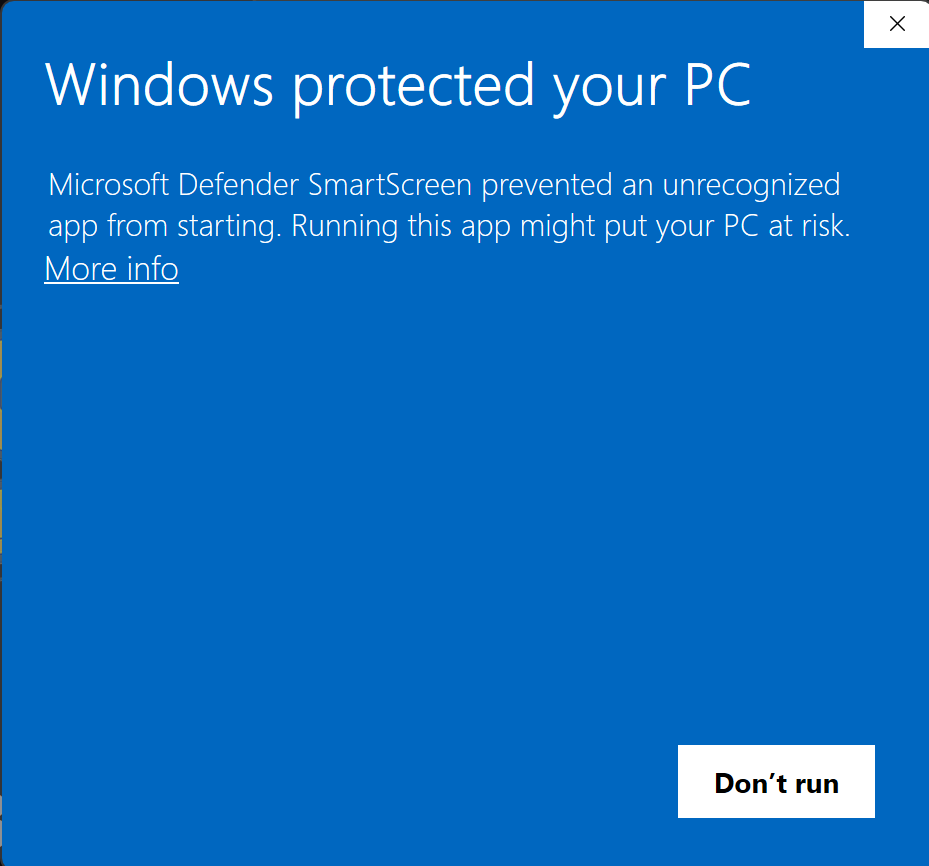
You'll see a blue "Windows protected your PC" screen
This is normal for brand-new apps — it just means Windows hasn't seen this installer many times yet. Click More info
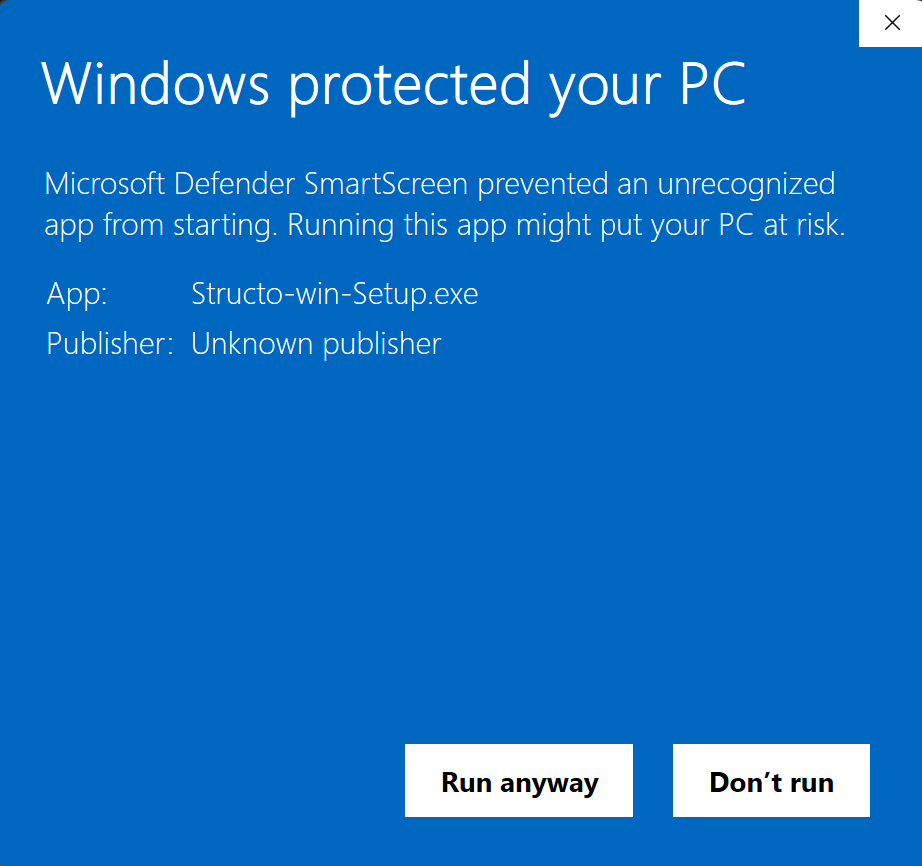
Now click "Run anyway"
After clicking More info, a new button appears. Click Run anyway and Structo will install.
That's it 🎉
Structo installs and opens automatically. From now on it launches like any other app — you won't see that prompt again, and updates install themselves.
Is this safe? Yes. The warning appears simply because Structo is a new app that hasn't been code-signed yet — not because anything is wrong. The installer is downloaded directly from our official release page and is the exact file we publish.